The Ultimate Setup Guide for Your Echo Show 8 4th Gen 2025
Introduction to the Smart Home Evolution
The landscape of the modern smart home has shifted dramatically since the inception of voice-controlled assistants. What began as a novelty in a small cylinder has transformed into a sophisticated ecosystem of visual interfaces, ambient sensing, and localized intelligence. Heading into 2025, the Echo Show 8 4th Gen stands as the most balanced entry in this evolution. It occupies the "Goldilocks" zone of smart displays—larger and more capable than the compact 5-inch models, yet more versatile and easier to place than the massive 15-inch wall-mounted displays.
The 2025 release of the Echo Show 8 4th Gen represents a significant leap in how we interact with technology. It is no longer just a screen that displays the weather or plays music; it has become a proactive home hub. With advanced spatial audio, a faster processor designed for local machine learning, and a sophisticated industrial design that mimics high-end home decor, this device is intended to be the central nervous system of your living space. This guide is designed to navigate the intricacies of setting up this powerful device, ensuring that every feature—from the Matter-enabled hub capabilities to the AI-driven adaptive content—is optimized for your specific lifestyle.
Product Analysis: Why the 4th Gen 2025 Model Matters
To understand how to set up the Echo Show 8 4th Gen, one must first understand what makes this specific iteration unique compared to its predecessors. The 2025 model prioritizes three core pillars: speed, privacy, and integration. Historically, smart displays suffered from a slight latency between a voice command and a visual response. The 4th Gen addresses this with an upgraded octa-core processor that handles most voice requests locally on the device rather than sending them to the cloud for processing. This results in nearly instantaneous responses for lighting controls and smart home adjustments.
Visually, the display remains an 8-inch HD touchscreen, but the glass is now edge-to-edge, featuring an anti-reflective coating that significantly improves visibility in bright kitchens or sunlit living rooms. The camera has been upgraded to a 13-megapixel sensor with auto-framing technology. This is a critical feature for 2025, where video calling has become a standard method for staying connected with family and conducting remote work meetings. The auto-framing ensures that even if the user is moving around a kitchen while preparing a meal, they remain the focal point of the call.
Perhaps the most significant internal update is the inclusion of a built-in smart home hub that supports Matter, Zigbee, and Sidewalk protocols. In previous years, users often needed a separate bridge to connect various smart bulbs, plugs, and sensors. The Echo Show 8 4th Gen 2025 eliminates this clutter, allowing users to pair compatible devices directly to the screen. This makes the setup process for an entire home far more streamlined for the average consumer.
Pros and Cons of the Echo Show 8 4th Gen
- Superior Audio Quality: The 2025 model features spatial audio processing and room-scanning technology that adjusts the sound profile based on the acoustics of the room, providing deep bass and clear mid-tones.
- Local Processing Power: By processing common commands on-device, the response time is significantly faster than previous generations, and privacy is enhanced since less data leaves the home.
- Adaptive Content Display: Using computer vision, the device detects how far away a person is. When you are across the room, it shows large, easy-to-read headlines; as you approach, it automatically transitions to a more detailed, touch-friendly interface.
- Matter and Thread Support: Future-proofing is built-in with native support for the latest smart home standards, ensuring compatibility with a wide range of third-party devices.
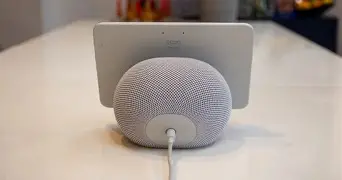
- Premium Industrial Design: The fabric-wrapped rear and sleek glass front allow it to blend into modern home aesthetics better than older, more plastic-heavy iterations.
- Privacy-First Features: A physical camera shutter and a microphone disconnect button provide peace of mind for users concerned about always-on sensors.
- Fixed Stand Design: Unlike some competitors or its larger siblings, the out-of-the-box stand does not allow for significant tilt or swivel adjustments without an additional accessory.
- Screen Resolution: While the 1280 x 800 resolution is crisp for an 8-inch screen, users accustomed to 4K tablets might find the pixel density lower than expected for close-up viewing.
- Ecosystem Locking: To get the most out of the device, users are heavily incentivized to stay within a specific ecosystem for music and Video services.
Technical Specifications and Comparison
When deciding whether to upgrade to the 4th Generation 2025 model, it is helpful to see how it compares to the previous 3rd Generation and the larger 10-inch rotating model. The following table highlights the hardware differences that impact daily performance and setup requirements.
| Feature | Echo Show 8 (3rd Gen) | Echo Show 8 (4th Gen 2025) | Echo Show 10 (3rd Gen) |
|---|---|---|---|
| Processor | Octa-core SoC | Advanced AI Octa-core | MediaTek MT8183 |
| Camera | 13 MP | 13 MP with Enhanced Auto-framing | 13 MP with Motion Tracking |
| Smart Home Hub | Zigbee, Sidewalk | Matter, Thread, Zigbee, Sidewalk | Zigbee, Sidewalk |
| Audio | Stereo Speakers | Spatial Audio / Room Sensing | 2.1 System (Subwoofer) |
| Display Tech | Standard HD | Anti-Reflective Adaptive HD | Rotating HD |
| On-Device AI | Limited | Comprehensive (Local Processing) | Moderate |
Comprehensive Setup Guide: Step-by-Step
Phase 1: Physical Placement and Power
The first step in a successful setup is choosing the right location. Because the Echo Show 8 4th Gen 2025 uses room-sensing technology to optimize its spatial audio and adaptive display, placement is more than just finding an empty outlet. For the best audio experience, place the device at least six inches away from any walls to allow the rear-firing speakers to bounce sound effectively. In a kitchen, ensure it is away from heat sources like stoves and splash zones near sinks.
Once placed, plug the power adapter into a stable wall outlet. Avoid using thin extension cords, as the device requires consistent power for its advanced processing capabilities. Upon powering on, you will be greeted by the logo and a prompt to select your language. The high-sensitivity touchscreen allows for easy navigation through these initial menus.
Phase 2: Network Configuration and Synchronization
The 2025 model supports Wi-Fi 6E, which is essential for homes with high-speed internet and multiple connected devices. During the setup, the screen will display available Wi-Fi networks. If your router supports 6GHz bands, ensure you connect to that for the lowest possible latency. You will then be prompted to sign in to your service provider account. For a seamless experience, it is recommended to have your smartphone nearby with the corresponding mobile app installed, as this can often push your stored Wi-Fi credentials to the device automatically.
Looking for the best Electronics deals on Amazon?
See Deals →After logging in, the device will likely initiate a firmware update. This is a critical step for the 4th Generation model, as many of its pro-active AI features and Matter hub optimizations are refined through these Day 1 patches. Do not unplug the device during this process, even if the screen appears dark for a few moments.
Phase 3: Personalization and Proactive Sensing
One of the standout features of the 2025 model is "Visual ID." During setup, the device will ask if you want to create a profile using the camera. By opting in, the Echo Show 8 can recognize you as you walk into the room. This allows it to show your specific calendar, your preferred news briefings, and your recently played music, while hiding this information when a different family member is in view. This is a major step forward for shared households where privacy and personalization often conflict.
You will also be asked to calibrate the audio. The device will play a series of tones to measure the dimensions of the room and the objects within it. This takes about thirty seconds and significantly improves the richness of the spatial audio, making the 8-inch device sound like a much larger high-fidelity speaker system.
Phase 4: Integrating the Smart Home Hub
Since the Echo Show 8 4th Gen 2025 acts as a Matter and Thread controller, you should now begin pairing your external devices. To do this, swipe down from the top of the screen and select "Smart Home." From here, you can add bulbs, thermostats, and locks. If you have Matter-enabled devices, you can simply scan the QR code on the peripheral's packaging using the Echo Show’s camera. The local processing power of the 4th Gen means that once these are paired, your voice commands to "turn on the lights" will occur almost instantly, without the "thinking" delay common in older cloud-based systems.
Buying Guide: Is This the Right Model for Your Home?
Choosing a smart display in 2025 requires evaluating how you intend to use the device on a daily basis. The Echo Show 8 4th Gen is marketed as the versatile workhorse of the lineup, but it serves specific demographics better than others. Understanding these personas will help you determine if this model is the right investment.
The Kitchen Coordinator
For those who spend significant time in the kitchen, the Echo Show 8 is arguably the best choice. Its size is large enough to read recipes from across a counter but small enough to fit under most standard cabinets. The 13MP camera is ideal for hands-free video calls while cooking, and the fabric-wrapped design is easy to wipe down. If your primary goal is meal planning, timers, and kitchen entertainment, this is the definitive model.
The Bedside Assistant
While some find an 8-inch screen too large for a nightstand, the 2025 model’s "Ambient Sensing" makes it a strong contender. It can automatically dim to a minimal clock face in the dark, and its built-in sensors can track sleep patterns without the need for a wearable device. However, if space is at a premium on your nightstand, the smaller 5-inch model may still be preferable despite the lower audio quality.
The Smart Home Enthusiast
If you are building a smart home from scratch or upgrading an older system, the 4th Gen is a must-buy because of its Matter and Thread integration. Buying a separate hub can be expensive and complicated; having it built into a high-quality display simplifies the architecture of your home network. This model is particularly useful for those who want a "Command Center" feel where they can view security camera feeds and control multiple rooms from a single pane of glass.
Find top-rated Electronics products at great prices.
See Deals →The Privacy-Conscious Buyer
Amazon has made significant strides in 2025 regarding transparency. The 4th Gen Echo Show 8 includes a physical slider that blocks the camera lens and a button that electronically disconnects the microphones. Beyond that, the shift toward local processing means that your voice recordings for common tasks aren't necessarily being stored in the cloud. For buyers who have been hesitant to adopt smart displays in the past, these hardware-level privacy features are a compelling reason to reconsider.
Optimizing the User Experience
Once the basic setup is complete, there are several "pro-user" tweaks you can make to ensure the Echo Show 8 4th Gen 2025 runs at peak efficiency for years to come. First, dive into the "Home Content" settings. By default, the device may rotate through a variety of "discovery" cards that some users find cluttered. You can toggle these off to ensure the screen only shows what you care about, such as your personal photo highlights, the weather, and your upcoming appointments.
Second, take advantage of the "Widgets" feature. The 4th Gen allows you to pin persistent widgets to the side of the home screen. On an 8-inch display, you can comfortably fit two or three widgets, such as a grocery list, a smart home shortcut for your most-used lights, and a weather forecast. This transforms the device from a passive frame into an active dashboard.
Third, explore the "Shortcuts" menu that appears when you swipe down. This allows for quick access to "Do Not Disturb" mode, which is essential if the device is placed in a bedroom or a home office. You can also schedule "Down Time" in the settings, ensuring the screen turns off completely during hours when you are sleeping or away at work, which helps preserve the longevity of the LCD panel.
Conclusion: The Future of Ambient Computing
The Echo Show 8 4th Gen 2025 is more than a simple hardware refresh; it is a testament to how far ambient computing has come. By moving toward local AI processing, universal smart home standards like Matter, and sophisticated audio-visual hardware, the device manages to feel helpful without being intrusive. The setup process, while involving several steps of personalization, is designed to be intuitive, guiding users toward a truly customized experience.
Whether you are using it to manage a complex array of smart home sensors, to keep your family organized with shared calendars, or simply to providing high-quality background music and news, the Echo Show 8 4th Gen provides a level of polish that is rare in the electronics market. By following the steps in this guide—from careful physical placement to utilizing the latest in Visual ID and on-device processing—you ensure that your smart display is not just another gadget, but a genuinely useful addition to your daily routine. As we move deeper into 2025, the ability of our devices to understand us and our environment will only grow, and the Echo Show 8 4th Gen is perfectly positioned to lead that charge in the heart of the home.