The Truth About the Qn90B Qled: Pros, Cons, and Verdict
Introduction
The Qn90B Qled is one of the headline models in Samsung’s Neo QLED lineup. Marketed as a high-end LCD alternative to OLED, it combines a dense mini‑LED backlight, Quantum Dot color technology, and Samsung’s image processing to deliver bright, punchy images. For shoppers balancing performance, room brightness, and longevity, the Qn90B often appears near the top of consideration lists. This article examines how the set performs in real-world scenarios, what buyers typically care about, and whether the Qn90B is the right choice for common viewing and gaming setups.
Detailed Product Review and Analysis
Design and Build
The Qn90B follows Samsung’s recent design language: slim bezels, a low-profile stand or optional gravity stand depending on size, and a neat cable management solution. It is not a wafer-thin OLED, but it strikes a good balance between aesthetics and practicality. The rear panel and stand materials feel solid for the class, and many sizes are light enough for wall mounting without heavy-duty brackets.
Panel and Backlight Technology
At the heart of the Qn90B is a mini‑LED backlight array with local dimming driven by Samsung’s Quantum Matrix technology. Compared with conventional edge-lit or full-array LED sets, mini‑LED packs many smaller LEDs into the panel, which improves control over localized brightness and reduces the “fog” common in older LCDs. The combination with Quantum Dot color filters produces a wide color gamut and high color volume at increased brightness levels.
Picture Quality (Daytime/Bright Rooms)
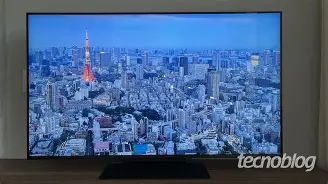
The Qn90B’s strength is peak brightness and glare handling. In bright living rooms or rooms with large windows, the Qn90B sustains strong highlights in HDR content and keeps colors saturated without washing out. Samsung’s anti-reflective coatings and in some sizes an Ultra Viewing Angle layer help maintain contrast in well-lit environments—an important consideration for sports fans or households that watch TV during the day.
HDR and Contrast Performance
HDR looks impressive on the Qn90B thanks to high peak luminance and precise specular highlight reproduction. Dark scene detail is generally very good for an LCD television because of aggressive local dimming, but it is not indistinguishable from OLED black levels. Viewers should expect deep, satisfying contrast in most content with occasional blooming or haloing around extremely bright objects on dark backgrounds—an unavoidable artifact on mini‑LED/LCD systems when backlight zones are still large relative to small bright objects.
Viewing Angles
Viewing angles are improved over classic VA panels due to Samsung’s panel tech and coatings, but they still lag behind OLED. For typical living rooms where viewers sit near the centerline, the Qn90B performs excellently. For very wide seating arrangements or large family rooms where viewers watch from steep angles, colors and contrast will shift more noticeably than on OLED.
Upscaling and Motion Handling
Samsung’s Neo Quantum Processor provides robust upscaling of lower-resolution content with effective sharpening and noise reduction. While upscaling looks very good for streaming and broadcast, some users may find edge enhancement or processing artifacts on low-bitrate sources if they prefer a completely natural look. Motion handling is strong—motion smoothing and Motion Xcelerator Turbo reduce blur in fast sports and gaming while maintaining clarity at high frame rates.
Gaming Features
The Qn90B is a strong gaming monitor/TV hybrid. Key features include low input lag, support for 4K at 120Hz on compatible HDMI 2.1 inputs (varies by size), VRR support, and Auto Low Latency Mode (ALLM). These features make it a good pick for modern consoles and high-end PCs. Gamers who want minimal latency and high refresh rates will appreciate the combination of brightness, anti-glare performance, and gaming-oriented connectivity.
Smart TV Platform and Usability
Samsung’s Tizen OS continues to be feature-rich and responsive. The platform provides mainstream streaming apps, a simple app store, voice assistants, and smart home integration. Remote control ergonomics are generally well considered; the solar-powered/sustainable remote introduced in recent years continues to be a useful convenience. Software updates can add functionality over time, but buyers should be aware that manufacturers occasionally change UI behaviors via firmware updates.
Looking for the best TVs & Home Theater deals on Amazon?
See Deals →Audio and Out-of-the-Box Sound
Built-in audio on the Qn90B is serviceable for everyday viewing. Samsung equips many sizes with object-tracking or multi-driver solutions that improve spatiality compared with basic TV speakers. Nevertheless, viewers seeking cinematic bass, room-filling sound, or immersive Dolby Atmos effects will likely want to pair the TV with a soundbar or AV receiver. The Qn90B’s eARC support simplifies connection to higher-end audio systems.
Reliability, Longevity, and Burn-In
Unlike OLEDs, the Qn90B uses an LCD panel and has no risk of organic-panel burn-in, making it a safer choice for mixed use—live sports, gaming with HUDs, and news channels that display static logos for long periods. Mini‑LED lifetimes are similar to other LED technologies; longevity concerns are minimal for typical home use.
Real-World Use Cases
- Bright living rooms and daytime viewing: The Qn90B excels where ambient light is a persistent factor—sports, daytime TV, and streaming with windows or light sources behind the viewer.
- Gaming setups: Players using next‑gen consoles or powerful gaming PCs will benefit from 4K@120Hz, low input lag, and VRR.
- Shared family rooms: Durability and no burn-in risk make it suitable for households with diverse viewing habits, including channels with static logos and gaming sessions.
- Movie nights in a dim room: It performs well, but cinephiles who prioritize perfect black levels and infinite contrast may still prefer OLED for a dedicated dark-room home theater.
Pros & Cons
- Pros
- Very high peak brightness—excellent for bright rooms and HDR highlights.
- Vibrant, accurate Quantum Dot color with strong color volume.
- Mini‑LED local dimming delivers superior contrast for an LCD panel.
- Strong gaming features: low input lag, 4K@120Hz, VRR, ALLM (on compatible sizes).
- Robust smart TV platform (Tizen) with broad app support.
- No risk of burn-in—better suited for mixed usage and heavy gaming.
- Cons
- Viewing angles are improved but still inferior to OLED—color and contrast shift off-axis.
- Local dimming can produce blooming/haloing around small bright objects on dark backgrounds.
- Price is premium compared with mid-range LED/LCD models.
- Built-in speakers are good but not a substitute for a dedicated sound system for cinematic audio.
- Some aggressive processing settings may produce sharpening artifacts on low-bitrate content.
How the Qn90B Compares
To help buyers place the Qn90B in context, the table below compares it qualitatively with two common alternatives: a similarly positioned high-end OLED and a mainstream premium LCD from the same generation. The intent is to highlight where the Qn90B sits in the trade-off space between brightness, black level, and price tier.
| Model (Type) | Panel Technology | Peak Brightness (Relative) | Black Levels | Viewing Angles | Best For | Price Tier (Relative) |
|---|---|---|---|---|---|---|
| Qn90B Qled (Mini‑LED LCD) | Mini‑LED + Quantum Dot | Very High | Very Good for LCD (some blooming) | Good, but not OLED-level | Bright rooms, HDR sports, gaming | High |
| High-End OLED (e.g., flagship OLED) | OLED (self‑emissive) | Moderate | Perfect/Infinite | Excellent | Dark-room cinema, perfect black detail | High to Premium |
| Premium LCD (non‑mini‑LED) | Full-array LED / VA | Moderate | Good to Average (limited zones) | Fair | General living rooms, value-focused buyers | Mid to High |
Buying Guide: How to Decide if the Qn90B Is Right
1. Consider Room Lighting
If the primary viewing room is bright during the day or has large windows, prioritize peak brightness and anti-reflective performance. The Qn90B is designed for such conditions—HDR specular highlights stay visible where OLED might appear dimmer or more washed in heavy ambient light.
2. Think About Viewing Angles and Seating Layout
Measure the typical seating arrangement. Families with wide seating arrays or viewers who sit off-center often prefer the superior off-axis performance of OLED. If most viewers sit within a narrow viewing cone, the Qn90B’s improved angles and anti-glare coatings will be more than adequate.
3. Gaming Requirements
For competitive or fast-action gaming, check for HDMI 2.1 support on the size you plan to buy, confirm low input lag in game mode, and ensure VRR works with your console/PC. The Qn90B is a strong gaming TV, but verify the specific panel size and HDMI configuration—features can vary by model size.
4. Content Mix
Ask what will be watched most often. If the household alternates between bright-room daytime TV, sports, and gaming, the Qn90B’s flexibility and lack of burn-in risk make it a compelling choice. If the priority is pure cinematic black levels and film noir-style content in a dedicated dark room, an OLED may better satisfy a cinephile.
5. Audio Needs
Decide whether onboard audio is sufficient. The Qn90B’s integrated sound is fine for everyday viewing and dialog clarity, but a separate soundbar or speaker system will significantly improve movie and music experiences.
Find top-rated TVs & Home Theater products at great prices.
View Offers →6. Calibration and Settings
Out of the box, Samsung TVs often look bright and lively—some users prefer to tune down contrast and tweak gamma for a more natural look. Recommended steps:
- Enable Game Mode when gaming to minimize latency.
- Use a cinema or movie picture mode for film content and reduce aggressive sharpening or noise reduction.
- Consider basic calibration (brightness, contrast, color temperature) or a professional calibration if perfect accuracy is critical.
7. Size and Viewing Distance
Choose a size that matches the room’s viewing distance. The Qn90B is available in multiple sizes—bigger panels amplify HDR impact, but confirm the size doesn’t exceed what the room can accommodate without noticeable pixelation or neck strain for close sitters.
8. Connectivity and Ports
Check the number and type of HDMI ports, especially if you plan to connect multiple consoles, streaming devices, and sound systems. eARC support is useful for high-bitrate audio passthrough to soundbars. Confirm which HDMI ports support full bandwidth for 4K@120Hz on the model you’re considering.
9. Warranty and Software Support
Investigate warranty terms and the manufacturer’s track record for software updates. Firmware improvements can refine picture processing, add streaming features, or address bugs—factors that affect long-term satisfaction.
Conclusion
The Qn90B Qled is a compelling television for buyers who want the brightness and color punch of a premium LCD without the worry of burn-in that comes with self‑emissive panels. It is especially well suited to bright living rooms, sports fans, and gamers who need high refresh rates and low latency. While it does not match OLED’s absolute black levels and perfect off‑axis performance, the Qn90B closes the gap considerably with mini‑LED local dimming and strong image processing.
Ultimately, the decision comes down to environment and priorities. For mixed-use households that watch daytime TV, play games, and occasionally host movie nights, the Qn90B offers a versatile, high-performance experience. For viewers whose sole priority is the deepest blacks and the widest viewing angles for dark-room film viewing, OLED still holds the edge. Evaluating room light, seating, content habits, and audio plans will guide the right choice—and for many buyers, the Qn90B lands in the sweet spot between performance and practicality.